Wednesday, July 27, 2022
How Chatbots Can Make Your Business’s Apps Better
Thursday, June 16, 2022
Why the Metaverse Needs AI, and AI Needs the Metaverse
At Bot Libre we have always been developing artificial intelligence for the Metaverse, we just did not have a name for it. The Bot Libre AI engine has always been designed to have a mind with multiple senses, it's just that with plain chat user interfaces, those senses could not be truly actualized. The Metaverse now provides a rich multi-sensory environment, and we are extremely excited to evolve the Bot Libre AI engine and platform to navigate the Metaverse.
We are developing new 3D and VR apps and SDKs to integrate the Bot Libre platform with the evolving Metaverse. We are integrating Bot Libre's NLP, vision, and spatial artificial intelligence algorithms into the Metaverse environment.
What is the Metaverse
The MetaVerse is a term used to describe a new vision for the Internet as a decentralized 3D space. The MetaVerse includes various technologies including:
- 3D - 3D Worlds and Spaces
- VR - Virtual Reality
- AR - Augmented Reality
- AI - Artificial Intelligence
- Web3 - Crypto Currencies, NTFs, Block Chain
Why the Metaverse Needs AI
The Metaverse needs chatbots and AI to enable immersive interactions with users.
- VR/AR user interfaces are based on speech, chat, and 3D interaction, blending well with chatbots
- Metaverse is 24/7, businesses, events, online schools, and games that engage users in this space require chatbots and automated interactions
- The Metaverse is multi-sensory, AI bots need to integrate NLP, vision, audio, spatial awareness, and navigation.
Why AI Needs the Metaverse
To evolve, AI needs an immersive multi-sensory environment which is the Metaverse. Existing AI models are single-purpose, single-sensory. True intelligence requires multi-sensory learning and a rich environment to interact with other intelligence entities.
The Bot Libre OMNI Deep Learning Model
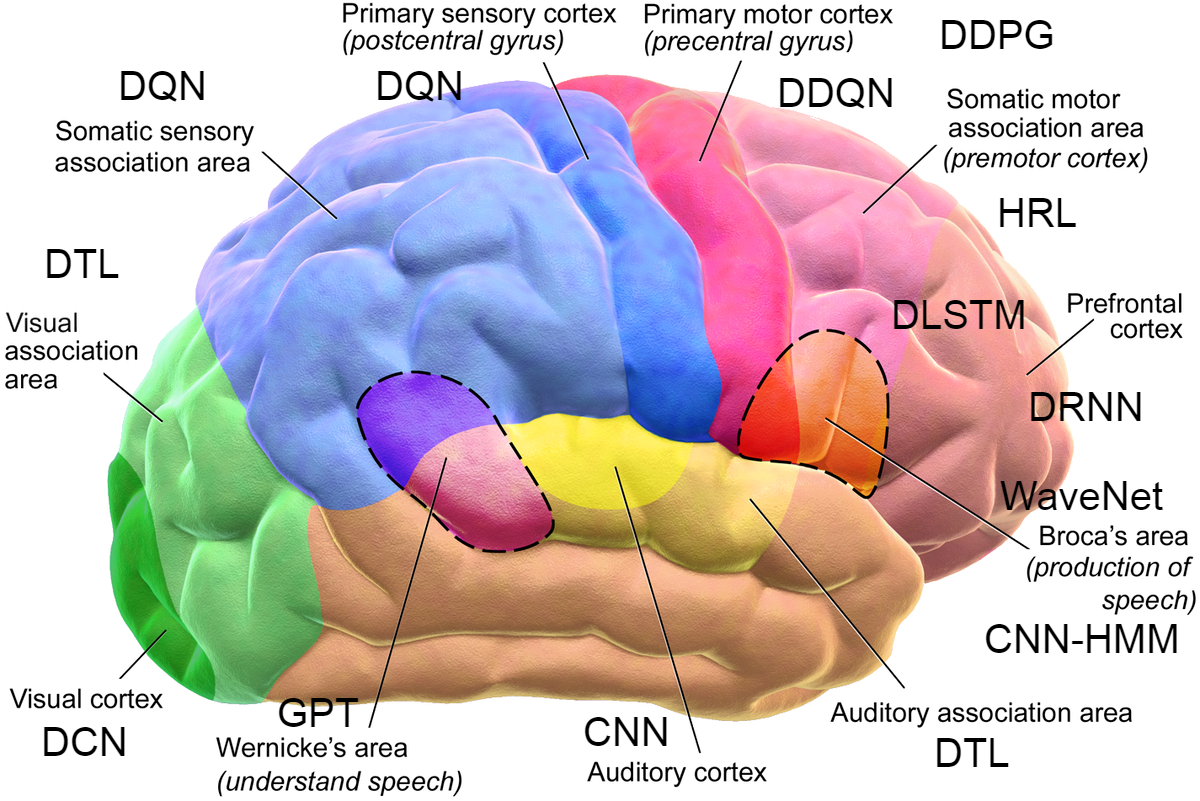
The human brain is not a single neural network, but a kludge of multiple networks all interacting with each other at multiple levels. The concept of the Bot Libre OMNI model is that if you feed the output nodes and deep links from multiple deep learning models, actively processing continuous input from multiple senses into OMNI meta models, you can achieve a higher level of intelligence than possible from a single model.
Join Us
We are looking for businesses, organizations, and developers that are interested in being early adopters of the Metaverse technologies, in order to shape, play, participate, and even profit from the Metaverse, by working with us to drive our open source metaverse AI solution.
We will be starting our Bot Libre Metaverse Beta Program soon. If you are interested in applying to be part of the program please contact sales@botlibre.biz.
Tuesday, May 31, 2022
AI for the Metaverse - Bot Libre Mozilla Hubs Integration
Bot Libre Integrates with Mozilla Hubs – Quality Service for Your Virtual Events
Hosting virtual events is not only a nicety, it has increasingly become a necessity. From staff meetings, to conferences, concerts and online schools, the creation of virtual spaces has proven to be crucial in keeping people and entire livelihoods alive.
Even as the world ushers back to ‘normal’, we see the need for online spaces rising especially amid the development of the metaverse . The metaverse promises to be a decentralized 3D ecosystem, where people can live, work, learn, shop, play and so much more.
To this end, businesses are building the infrastructure to facilitate this integrated 3D reality.
Bot Libre is a free open source platform that enables influencers, gamers, and businesses to engage the Metaverse by integrating true artificial intelligence and chatbots. Bot Libre bots can interact with users and navigate 3D spaces, Bot Libre provides an extensive API, integrations, and SDKs for popular 3D platforms like Mozilla Hubs.
Mozilla Hubs is a platform that allows users to create their own private 3D virtual spaces. These spaces can be used for events like conferences, virtual storefronts and online classes. By adding a Bot Libre chatbot to your 3D space, you will provide ease of access to all attendees and prevent any customer from being overlooked.
Bot Libre Benefits for Your 3D Space
· Provides a fully immersive virtual experience
· Quickly respond to questions from guests and customers
· Provide information on products and services
· Upsell products and services
· Provides tutoring through animated chatbots to online learners in an exciting virtual space
1. Create a new Discord server on https://discord.com/.
2. Follow the “Set Up” section from
https://hubs.mozilla.com/docs/hubs-discord-bot.html#set-up to add a Hubs
Discord bot to your new server.
3. Create a new Hubs room to link with Discord by entering the message
“!hubs create” in the Discord channel.
4. Create a new discord application on
https://discord.com/developers/applications .
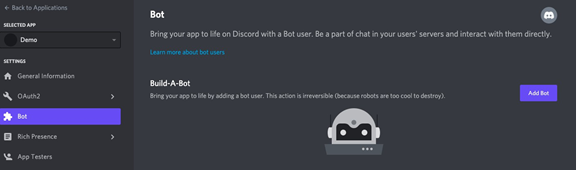
5. Add a bot to the discord application under the “Bot” tab.
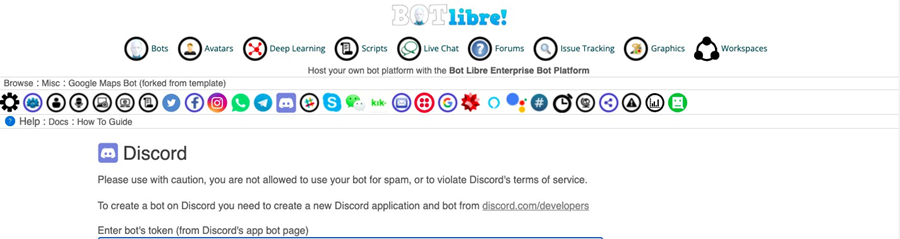
6. Connect the Discord bot to the Bot Libre platform by pasting its token in the
admin console of a Bot Libre bot under the Discord tab.
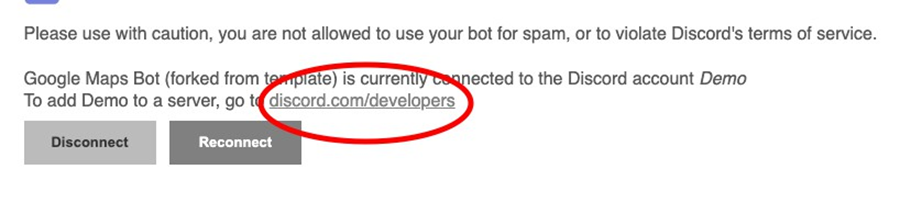
7. After connecting the Discord bot to the Bot Libre platform, click th
link to add the bot to your discord server.
8. Change the new bot’s permissions on Discord so it can read and send messages.
Note: The Hubs room that is created uses Discord for authentication when attempting to join the room.
Customizing Your Chatbots
Bot Libre allows you to customize your avatar, chat style and button style among many other cool features, free of cost. For additional information see useful guides below or contact support@botlibre.com.
Quick Guide to Training/Customizing Your Chatbot
https://www.botlibre.com/forum-post?id=483549
In addition to adding a Bot Libre chatbot to your 3D virtual event, you can add a chatbot to your website, Facebook messenger, Instagram, Twitter, Telegram among others.
If you’re busy building your 3D space on Mozilla Hubs, but you recognize the importance of having seamless representation, we can build a bot for you. For additional information, contact us at sales@botlibre.biz .
Be sure to like, leave a comment and follow us for more up-to-date information on metaverse trends and chatbots.
#botlibre #mozillahubs #chatbotdeveloper #chatbotdevelopment #virtualevents #ai #artificialintelligence
Wednesday, May 25, 2022
Learning English Made Easy - Bot Libre's Mobile App
As learning is no longer defined by being in a physical classroom, virtual educational tools have increased in popularity. For example, data from statista.com shows that in the first quarter of 2020 Google Play saw 466 million downloads of educational apps. That number continues to grow especially amid various social changes.
To help bridge the gap between eager learners and accessible education, Bot Libre has launched its latest mobile app - Virtual English Tutor
The app has features that have been proven by experts to increase memory and learning outcomes
and are currently being developed to meet individual user needs.
Features:
Conversational English Lessons
Different learning categories - greetings, job interviews, and dating.
Chat segment for conversational practice
Virtual English Tutor is meant to offer English lessons to persons interested in learning English asa second language or to sharpen their current English skills. The app is also designed as a
virtual tool for English tutors to engage with students in the environments they spend most of
their time on the phone, and online. Since English is recognized as one of the universal languages,
the need for educational tools like Virtual English Tutor is of utmost importance.
“The app is a good demonstration of how the Bot Libre platform can be used in education.
We will continue to create more lessons and with the active engagement of English teachers,
the app can facilitate curriculum-based content.”, said CEO and expert software architect of Bot Libre,
James Sutherland.
Benefits of Learning A New Language
Heightens creativity
Develops good communication skills
Improves memory and other cognitive functions
Benefits of the Virtual English Tutor App
Offers 24.7 learning availability
Provides new and exciting learning techniques
Creates a marketplace for English teachers
Self-paced
To access these benefits and more, users can download the app for free on Google Play, where they will be provided
with free lessons and a chance to be first in line when new and exciting features are added.
Bot Libre is an open-source platform for chatbot development and artificial intelligence solutions fit for the metaverse.
For additional information, contact:
sales@botlibre.com or visit the website https://www.botlibre.com/
Monday, March 7, 2022
How to generate haiku poetry using deep learning
The Bot Libre platform is not just a bot platform, but also a platform for artificial intelligence and deep learning. With Bot Libre you can create your own deep learning neural network for text classification, text generation, image recognition, audio and speech recognition, object detection, games, prediction, data analysis, and more.
You may think that creating a "deep learning neural networks" sounds like a very complex thing to do, but with Bot Libre it is very simple, and requires no programming or data science experience. This article we walk you through the steps to create your own text generation network.
Step 1 - Find Sample Text
First you need to decide what types of text you want your network to generate. You can train a network to generate any type of text in any language, as long as you have some sample text files. The more sample text the better. You can upload a single text file, or multiple files.
For this article, we will train a network to generate a poetry haiku fragment. The goal is to be able to give it a topic, or the first haiku line, and it will generate the poem or second and third lines.
First you need to find some sample text files. You can create your own text data, or download an existing dataset. Here is an existing set of English haiku poems, https://www.kaggle.com/hjhalani30/haiku-dataset
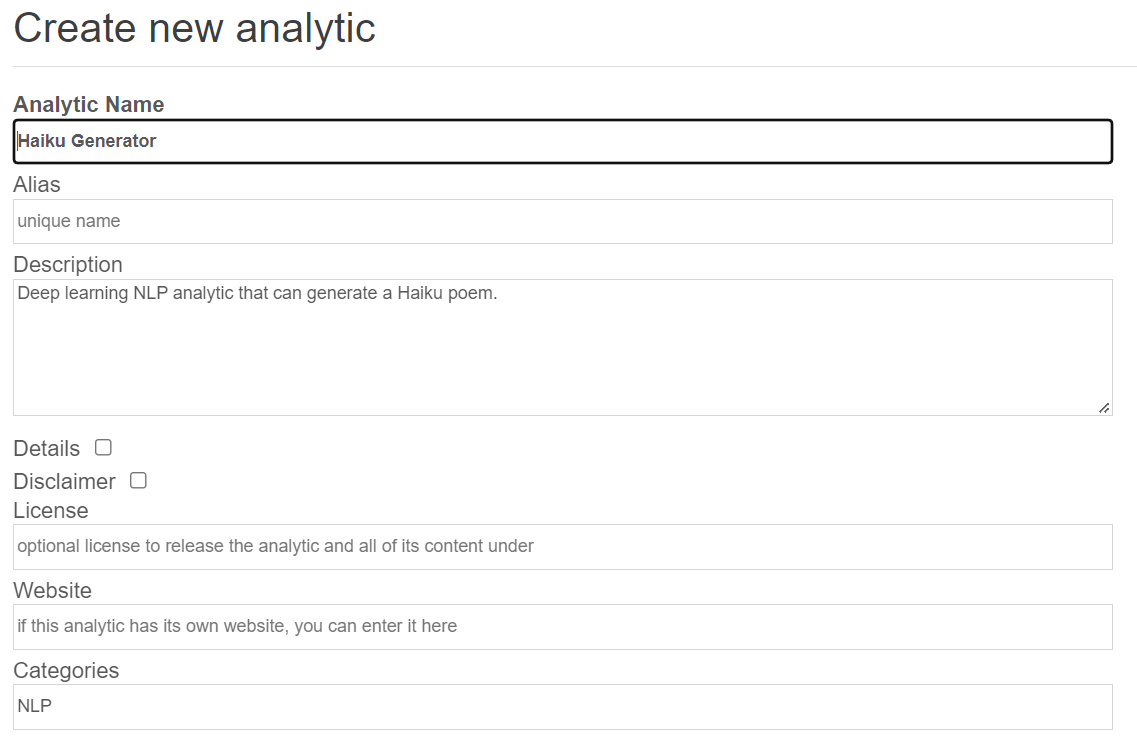
Step 2 - Create Analytic
Next we need to create our analytic on Bot Libre.
- Click browse analytics on Bot Libre
- Click on New Analytic
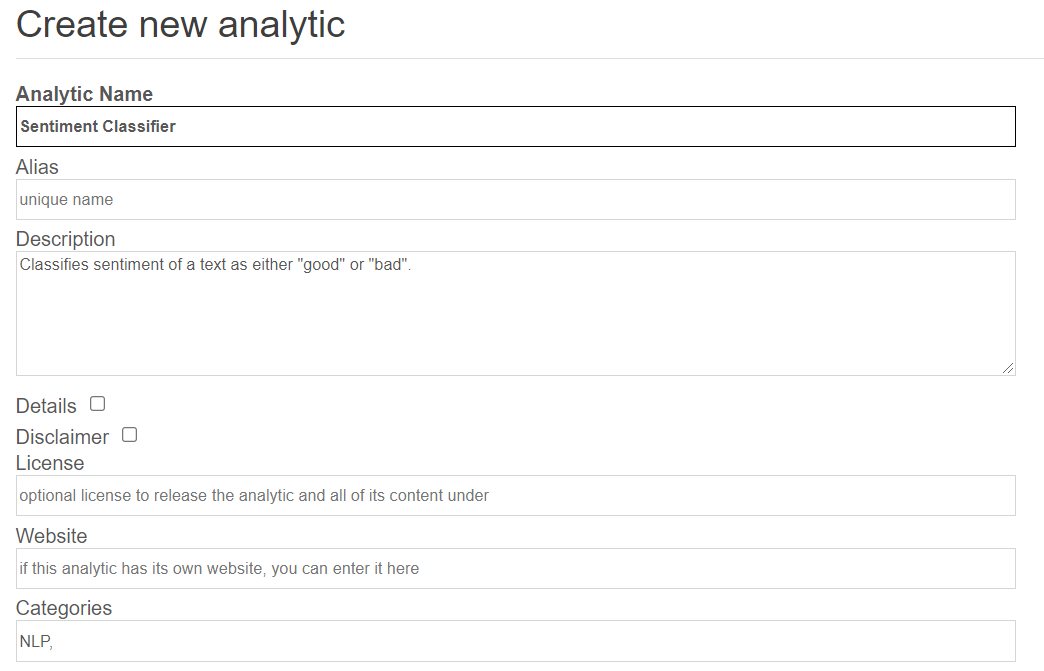
- Enter a name and category and click "Create"
Step 3 - Configure Analytic
Next we need to configure the analytic.
- Click on the analytic's "Admin Console" button or menu.
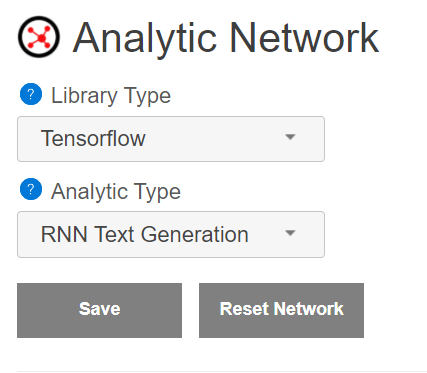
- Click on "Analytic Network"
- Under "Analytic Type" select "RNN Text Generation"
- It will auto-fill the other settings, click the Save button
The other analytic type settings let you create different types of networks.
Step 4 - Upload Text Files
Next we need to upload our text files.
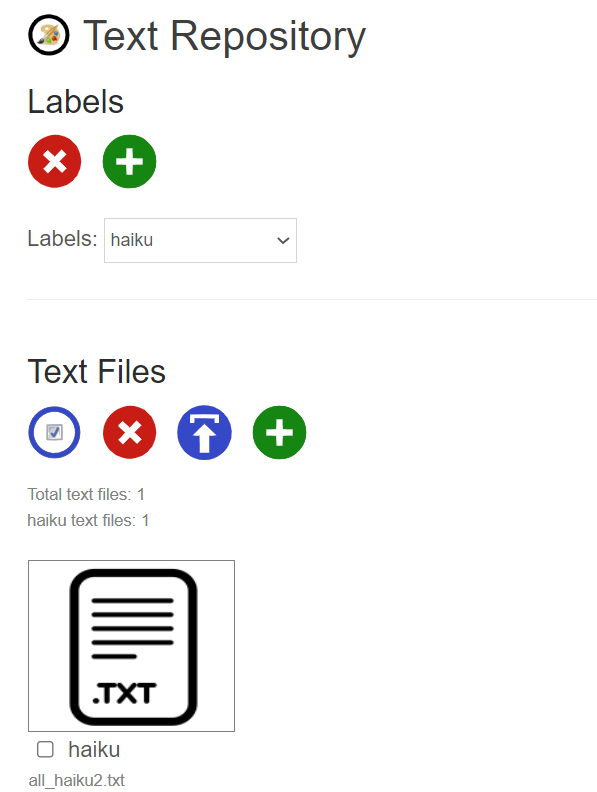
- Click on the "DataRepository" button, menu, or link in the analytic's Admin Console
- Click on add label (green plus), enter "haiku"
- Select the "haiku" label and click the upload button, select your haiku text file
Step 5 - Train Network
Next we need to train the network.
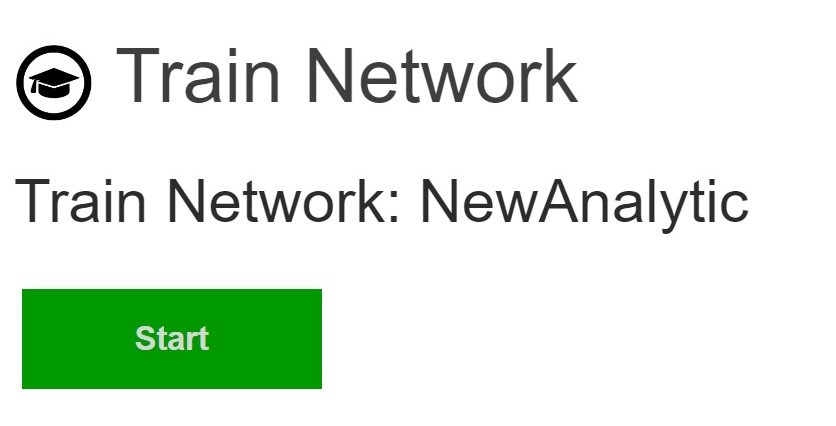
- Click on the "Train Network" button, menu, or link in the analytic's Admin Console
- Click on "Train", this may take a while
Step 6 - Test Network
Now you can test your network.
- Click on the "Test Network" button from the analytic's main page
- Upload a text file to test, or enter some text
- It will return you a paragraph of generated text based on the text fragment or topic
If you get poor results, or text that does not make sense you most likely need to train your network longer.
Your Done
You can now access your analytic from Bot Libre's website and share it with your friends. You can also access your analytic through the Bot Libre web API from your own website or app. You can download your network as a ".zip" file for usage with Tensorflow.
Here is the fully trained analytic, Haiku Generator
Bot Libre will be adding support for training more network types in the coming months. You can also train your network manually using python and Tensorflow, this is very complicated and requires some development and python experience. We can also develop a deep learning neural network for you through the Bot Libre AI development services, contact sales@botlibre.biz.
Monday, February 28, 2022
How to create your own deep learning neural network for sentiment text classification without any programming
The Bot Libre platform is not just a bot platform, but also a platform for artificial intelligence and deep learning. With Bot Libre you can create your own deep learning neural network for text classification, text generation, image recognition, audio and speech recognition, object detection, games, prediction, data analysis, and more.
You may think that creating a "deep learning neural networks" sounds like a very complex thing to do, but with Bot Libre it is very simple, and requires no programming or data science experience. This article we walk you through the steps to create your own text classification network.
Step 1 - Find Sample Text
First you need to decide what types of text you want your network to classify. You can train a network to recognize and classify any type of text, as long as you have some sample text files. The more sample text files the better, but around 30 is normally enough for a basic network.
For this article, we will train a network to classify the sentiment of a text file or fragment. We could train it to recognize many different emotions, but for the sake of simplicity we will train the network to classify text as just "good" or "bad".
First you need to find some sample text files. You can create your own text data, or download an existing dataset. Here is an existing labeled text data for movie review that classify as good or bad. https://ai.stanford.edu/~amaas/data/sentiment/
Step 2 - Create Analytic
Next we need to create our analytic on Bot Libre.
- Click browse analytics on Bot Libre
- Click on New Analytic
- Enter a name and category and click "Create"
Step 3 - Configure Analytic
Next we need to configure the analytic.
- Click on the analytic's "Admin Console" button or menu.
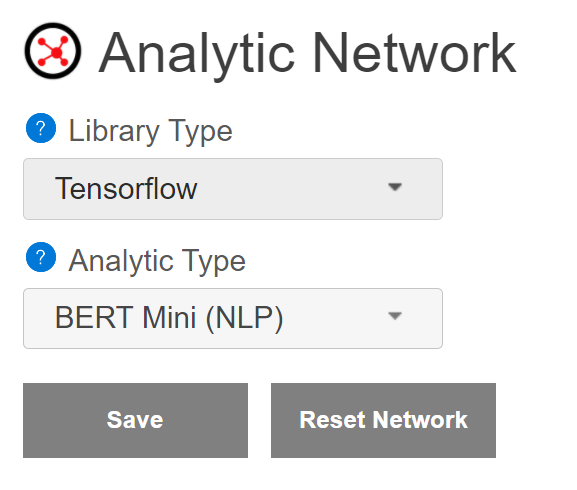
- Click on "Analytic Network"
- Under "Analytic Type" select "BERT Mini (NLP)"
- It will auto-fill the other settings, click the Save button
The other analytic type settings let you create different types of networks. For text classification there are several options using the BERT model. The difference is in the size and speed, vs accuracy.
Step 4 - Upload Text Files
Next we need to upload our text files.
- Click on the "DataRepository" button, menu, or link in the analytic's Admin Console
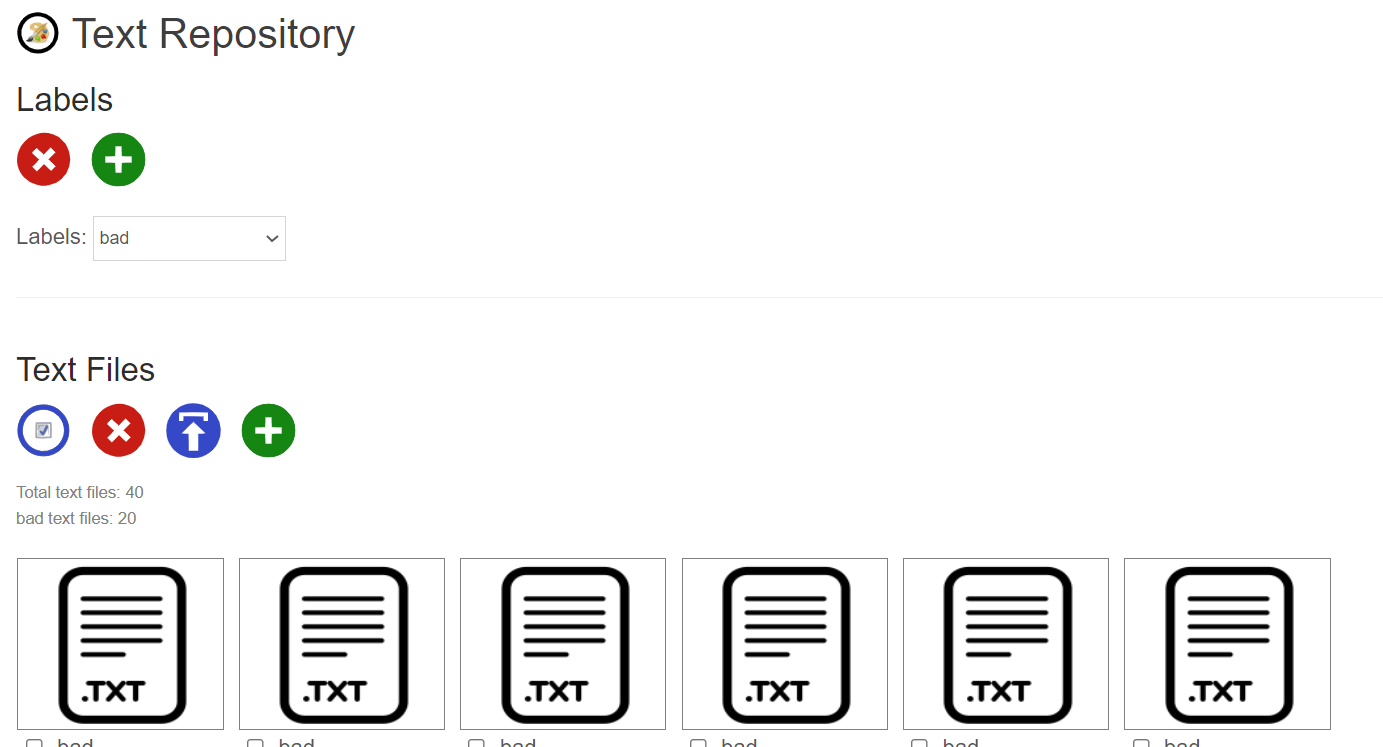
- Click on add label (green plus), enter "good", click add again and enter "bad"
- Select the "good" label and click the upload button, select all your "good" text files.
- Select the "bad" label and click the upload button, select all your "bad" text files
Step 5 - Train Network
Next we need to train the network.
- Click on the "Train Network" button, menu, or link in the analytic's Admin Console
- Click on "Train", this may take a while
Step 6 - Test Network
Now you can test your network.
- Click on the "Test Network" button from the analytic's main page
- Upload a text file to test, or enter some text
- It will return you if the text is has "good" or "bad" sentiment
Try testing the network with text files that you did not train it with. If it gives you the wrong result, then add the text file to your train set and train your network again.
Your Done
You can now access your analytic from Bot Libre's website and share it with your friends. You can also access your analytic through the Bot Libre web API from your own website or app. You can download your network as a ".zip" file for usage with Tensorflow.
Here is the fully trained analytic, Sentiment Analysis
Bot Libre will be adding support for training more network types in the coming months. You can also train your network manually using python and Tensorflow, this is very complicated and requires some development and python experience. We can also develop a deep learning neural network for you through the Bot Libre AI development services, contact sales@botlibre.biz.
Announcing Bot Libre 9, the chatbot and artificial intelligence platform for the Metaverse
We have released Bot Libre 9!
The worlds most advanced bot platform just got better. Bot Libre 9 is a free and open source platform for chatbots and artificial intelligence for the Metaverse. Bot Libre 9 includes support for chatbots, virtual agents, virtual assistants, social media bots, gaming bots, SMS bots, IVR bots, IOT bots, game bots, live chat, animated avatars, speech, deep learning analytics, and more. Bot Libre supports bots for the web, mobile, Facebook, Instagram, Twitter, Skype, Telegram, Discord, Kik, WeChat, Slack, email, SMS, IVR, Alexa, Google Home, and new platforms are being added every month.
"The bot and artificial intelligence platform for the Metaverse".
The Metaverse is the new vision of the Internet that provides a decentralized 3D ecosystem. The Metaverse combines 3D worlds and spaces, VR, AR, AI, and crypto.

The Bot Libre platform enables influencers, gamers, and businesses to engage the Metaverse by integrating true artificial intelligence and chatbots. Bot Libre bots can interact with users and navigate 3D spaces, Bot Libre provides an extensive API, integrations, and SDKs for popular 3D platforms.
"Bot are the new apps".
Chat and chatbots are the new application paradigm that is replacing mobile and web as the new leading method of engaging your customers and users. Chat lets you engage your customers everywhere, on web, mobile, social media, phone, and on the Metaverse.
Bot Libre lets anyone create a bot for the web, mobile, social media, phone, and the Internet of things. Connect your bot to Twitter, Facebook, Instagram, Telegram, Discord, Skype, Kik, Slack, WeChat, email, SMS, IVR, Alexa, Google Home, and more.

Bot Libre 9 supports rich HTML responses including buttons, links, choices, images, video, and audio. Bot Libre supports HTML responses on the web, mobile, and automatically maps HTML to social media platforms.
Bot Libre bots can be trained using natural language, chat logs, response lists, Twitter feeds, AIML, and scripting. Responses are automatically matched using a heuristic artificial intelligence algorithm and does not require any programming. Responses can also use keywords, topics, required words, labels, repeats, and other meta data.
Bot Libre 9 supports programming and scripting your bot using AIML 2, and Self. Self is our own dialect of JavaScript. Self is an object oriented scripting language, and integrated with an object database. Self extends JavaScript to provide support for natural language processing, state machines, object persistence, and includes a class library for accessing web services and utilities. Self also supports all AIML 2 operations, and some aspects of ChatScript patterns.
Bot Libre 9 is more than just bots, but a complete artificial intelligence platform. Bot Libre lets you create deep learning analytics for image recognition, speech and audio recognition, object detection, text classification, text generation, prediction and data analysis. You can create and train a deep learning analytic without any programming, just by uploading images, text, or other data. You can then access your analytics through our web API and mobile SDK, or from your bot.
New features in Bot Libre 9.0 since 8.0 include:
- Discord support
- Instagram support
- Deep learning NLP analytics - text classification using the BERT model
- Deep learning NLP analytics - text generation model
- Google Speech support
- WhatsApp support
- TensorFlow custom analytics
- Custom analytics web API
- Shadow DOM website embedding code
- Docker support
- Bot/content directory review process
- Enhanced user interface
Create your own free account and bot today on botlibre.com,
or let us build your bot for you on our commercial service Bot Libre for Business.
or download our open source platform to run on-premise on your own server

.png)
.gif)